Self-Service Kiosk Benefits: How Venues and Guests Both Win

From ordering food and checking in for flights to booking activities, self-service has become a natural part of how people interact with businesses. Guests increasingly expect to manage their experience independently, using intuitive tools that fit into their day.
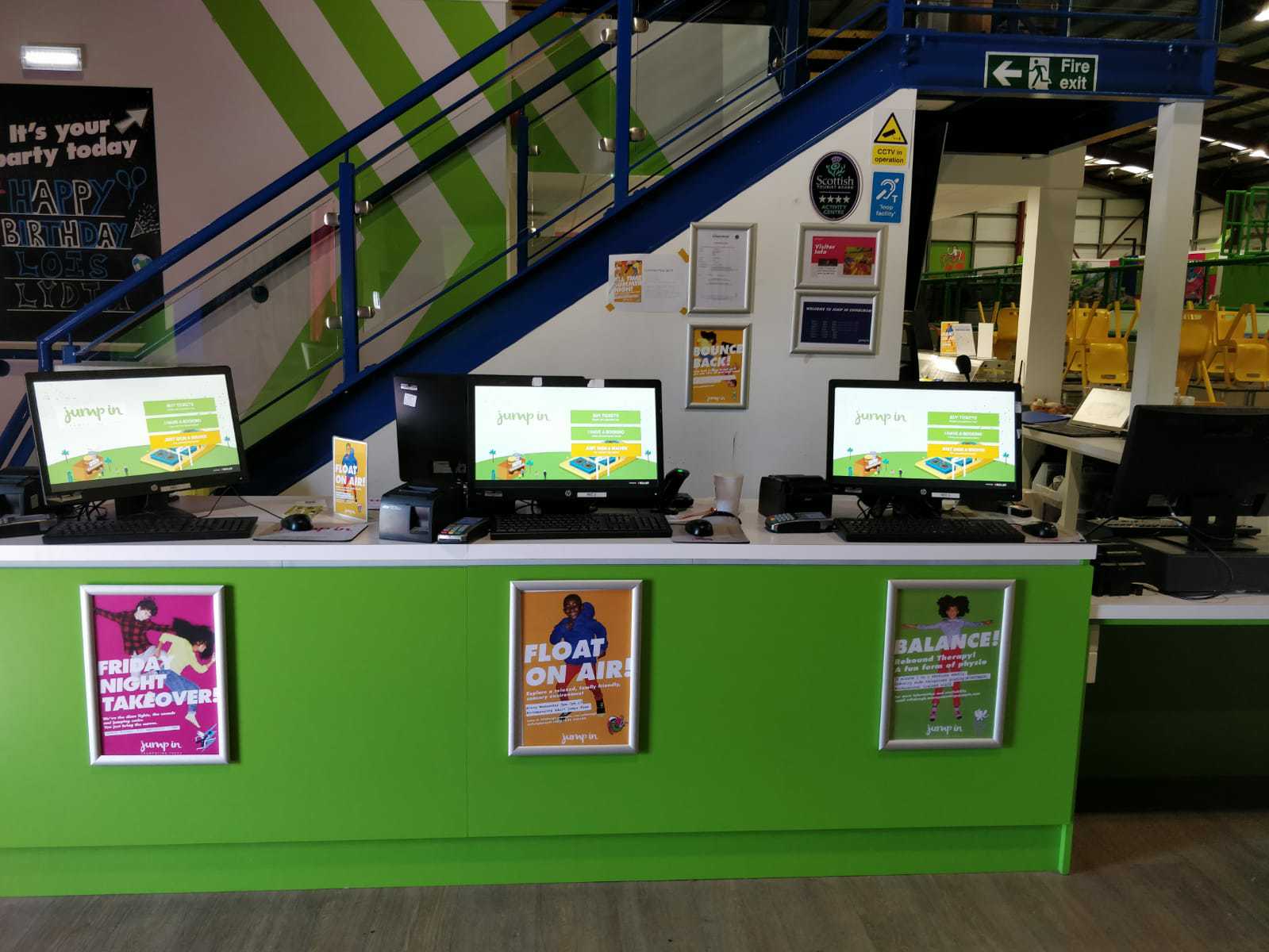
For attractions and family entertainment centers, self-service kiosks support this expectation by letting guests buy tickets, sign waivers, place orders, and check in, without waiting at a staffed counter. According to ROLLER’s 2025 Pulse Report, 90% of guests want self-service options like mobile ordering, self check-in, and automated kiosks. For operators, this shift also creates opportunities to reduce queues and free staff to focus on higher-value interactions.
In this guide, we’ll explain what self-service kiosks are, explore the key benefits for both guests and operators, highlight common venue use cases, and cover what to consider when implementing kiosks at your venue.
What are self-service kiosks?
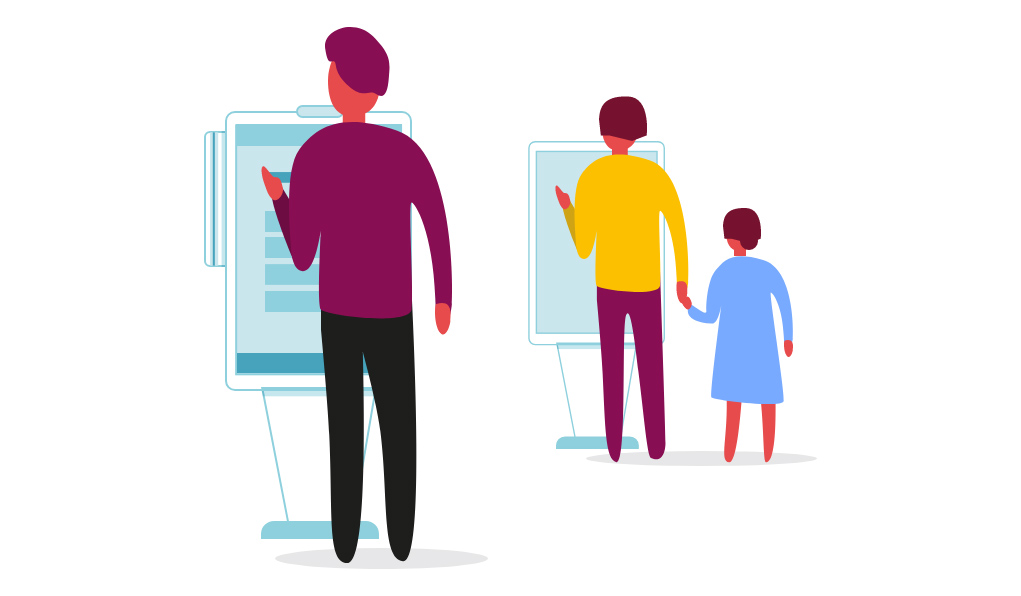
A self-service kiosk is an interactive touchscreen terminal that lets guests complete tasks on their own, without direct staff assistance.
In attractions and leisure venues, that typically includes:
- Self-service ticketing kiosks: buy tickets, redeem bookings, and print or scan confirmations.
- Self check-in kiosks: confirm bookings, sign digital waivers, and finalize payments before entry.
- Self-ordering kiosks: place food and beverage orders, customize meals, and pay at on-site cafés or concession stands.
Guest services kiosks: update details and access online accounts.
When self-serve kiosks are integrated with your venue management platform, they become part of a connected guest journey rather than a standalone tool.
7 benefits of self-service kiosks for venues
1. Shorter wait times and faster service
One of the biggest self-service kiosk benefits is speed. Instead of queuing at a single counter, guests can spread across multiple kiosks to purchase tickets, sign waivers, place orders and check in for parties or sessions.
This reduces bottlenecks at peak times and helps guests move through your entry, food, or check-in areas more quickly.
For attractions using self-service ticketing kiosks, combining ticket purchase and waiver signing in one flow avoids the “multiple line” problem (one for waivers, one for tickets), and makes the start of the visit feel smoother.
2. Reduced staffing pressure and labour savings
Self-service kiosks don’t replace your team, but they do change how staff time is used. Instead of having multiple people tied to the counter handling repetitive transactions, kiosks can take care of ticket purchases, food orders, membership or booking lookups, and waiver completion.
This can help you cover busy periods with fewer front-counter staff, and reassign team members to higher-value roles (guest assistance, safety, events, upselling in person).
3. Improved order accuracy and consistency
For food, ticketing, and self-checkout kiosks, one of the key advantages of self-service kiosks is accuracy. Because guests read the options and choose the items themselves, there’s less risk of misheard orders, missed add-ons, or incorrect ticket types.
Standardized flows also ensure that required steps, like waiver signing or key information capture, aren’t skipped, helping venues stay compliant and consistent.
4. Higher guest satisfaction through control and convenience
Many guests prefer to move at their own pace. Self-service kiosks give guests more control over their experience. They can:
- Choose tickets or packages that suit their group
- Customize food orders without feeling rushed
- Sign waivers in the language that’s most comfortable for them
For attractions and FECs, this sense of control often translates into higher satisfaction, because guests feel the visit is set up the way they want, not just what they could manage to communicate in a short counter interaction.
5. Increased average spend with upselling prompts
A key self-ordering kiosk benefit is the ability to present upsells consistently, without relying on staff scripts. Kiosks can:
- Suggest add-ons (“Add grip socks?” “Include a drink and fries?”)
- Offer upgrades (“Upgrade to an all-day pass?”)
- Highlight bundles (“Save with a family combo.”)
Because guests have time to review these options and there’s no perceived pressure, many operators see higher average order value in food and beverage and higher spend per head on tickets and experiences.
Read more: Maximize Revenue with Smart Upselling
6. Better guest data capture and marketing insights
Self-service kiosks are also powerful data tools, especially when they’re tied to your venue management system. They make it easier to:
- Capture accurate guest details (names, emails, birthdays where appropriate)
- Link purchases and visits to guest profiles
- Track popular products, bundles, and time slots
- Feed data into CRM and marketing automation tools
This gives you a clearer view of who is visiting your venue, how often they return, and what they like to buy. With that information, you can run more targeted campaigns (e.g., membership offers, birthday promotions, or off-peak discounts) and measure which promotions actually drive visits and revenue.
Read more: 6 Marketing Automation Campaigns to Maximize Holiday Momentum
7. Scalability for busy peak times
As venues grow or demand spikes (for example, during school holidays and weekends) manual check-in and ticketing can hit a ceiling. Self-service kiosks help you scale without necessarily adding more counters or front-of-house staff. You can:
- Add additional kiosks in high-traffic areas
- Direct walk-ins to kiosks while staff handle complex queries
- Support multiple languages and payment methods
For multi-location operators, standardized kiosk flows also help keep the experience consistent across sites, making it easier to manage and improve performance from a central team.
How different attractions use self-service kiosks
Here are a few common use cases.
Ticketing kiosks for attractions and events
For attractions, theme parks, and activity-based venues, self-service ticketing kiosks are often placed near entry or reception. They can:
- Sell general admission tickets or timed sessions
- Redeem online bookings
- Sign and store digital waivers in the same flow
- Print or display access confirmation (codes, wristbands, etc.)
This reduces queues, helps walk-ins move quickly, and ensures every guest completes required steps before entering.
With ROLLER’s self-service ticketing kiosk software, venues can combine ticket purchase and digital waivers in one intuitive journey, and even set up language-specific kiosks to better support non-native speakers.
Self-service kiosks for food and beverage
In venues with cafés or quick-service outlets, self-ordering kiosks can:
- Show menu items with images and descriptions
- Allow customizations and allergen notes
- Take payment on the spot
- Send orders directly to the kitchen
This approach reduces counter congestion, improves order accuracy, and gives kitchen teams clearer, more structured order information.
Guest services kiosks
Self-service kiosks can also support guest services and party bookings, especially when linked to online accounts:
- Guests can look up existing bookings or memberships
- Party hosts can confirm details or sign waivers on arrival
- Visitors can review their booking before speaking with staff
For more streamlined self-service party flows (booking, managing guest lists, updating F&B), venues can also use ROLLER’s online accounts and self-service party management tools, which complement in-venue kiosks and reduce admin for staff.
Best design and accessibility practices for self-service kiosks
Prioritize clarity and simplicity
Aim for:
- Clear, concise wording
- Large, easily tappable buttons
- Obvious “next” and “back” actions
- A progress indicator for multi-step flows
Guests should be able to complete common tasks, like buying a ticket or placing a food order, in just a few steps.
Design for accessibility
Ensuring kiosks are easy to use for different ages and abilities directly affects adoption and satisfaction. Consider:
- Screen height and angle (comfortable for adults, children, and wheelchair users where possible)
- High-contrast color combinations
- Large font sizes
- Clear error messages and recovery paths
Support multiple languages and inclusive design
If your venue serves a multilingual audience or tourists, make sure to offer:
- Language selection at the start
- Translated waiver content
- Simple, universal icons
ROLLER-powered kiosks, for example, can be configured as dedicated language waiver kiosks to help non-native speakers complete their check-in more confidently.
Challenges to look out for when implementing self-service kiosks
Self-service kiosks work best when implemented thoughtfully. Being aware of common challenges upfront helps set realistic expectations and ensures kiosks enhance, rather than complicate, the guest experience.
1. Upfront cost
Self-service kiosks require an initial investment in hardware, software, and setup. To manage this, many venues start with a small number of kiosks in high-traffic areas (such as entry or food ordering points) and scale over time. Factoring in expected labour savings and increases in average spend can help forecast ROI more accurately.
2. Guest hesitation or unfamiliarity
Some guests, especially first-time visitors or older demographics, may prefer staff assistance initially. Clear signage, simple on-screen instructions, and having team members nearby to guide guests through their first kiosk interaction can significantly improve adoption and confidence.
Read more: 5 Ways to Drive Guest Adoption of Self-Service Tools
3. Interface complexity
Overly complex kiosk flows can slow guests down or discourage use. The most effective kiosks are designed around a single, clear goal per flow (for example, “buy tickets” or “order food”), with optional upsells that don’t overwhelm users. Testing with real guests and refining based on feedback helps keep the experience intuitive.
4. Maintenance and reliability
Kiosks need ongoing attention, including hardware checks, software updates, and basic troubleshooting. Choosing a vendor with reliable support and assigning internal ownership for routine maintenance helps minimize downtime and keeps kiosks running smoothly during peak periods.
5. Accessibility and inclusivity
To ensure kiosks are usable for everyone, consider accessibility from the start. This includes appropriate screen height, readable font sizes, high-contrast colors, and support for multiple languages where relevant. Inclusive design improves adoption and reduces the need for staff intervention.
6. Integration with existing systems
Kiosks are most effective when they’re fully connected to your POS, ticketing, waivers, memberships, and analytics and reporting tools. Disconnected systems can create duplicate work and data gaps. All-in-one platforms help reduce complexity by keeping everything in a single ecosystem.
Taking these considerations into account early makes it easier to roll out kiosks successfully and ensures they support both your operational goals and your guest experience.
Implementing self-service kiosks with the right technology
ROLLER’s self-service ticketing kiosk software sits within an all-in-one venue management system, helping venues:
- Let guests buy tickets and sign waivers themselves
- Reduce queues and streamline check-in
- Capture guest data in a single profile
- Maintain consistent pricing and products across locations
If you’re exploring self-service kiosk benefits for your venue, it can be helpful to see what this looks like in practice. Book a demo to see how ROLLER’s self-serve kiosks can help you streamline operations and improve the guest experience.
Frequently asked questions about self-service kiosks
What are the key benefits of self-service kiosks?
Self-service kiosks can help guests move at their own pace while giving operators better control over throughput and operations. They help to:
- Reduce wait times and queues
- Improve order accuracy
- Reduce staffing pressure at counters
- Increase average spend via consistent upsell prompts
- Capture guest data for marketing and analytics
- Scale more easily during peak periods
How do self-service kiosks reduce staffing pressure?
Kiosks automate routine tasks like ticket selection and payment, food and beverage ordering, check-in, and waiver completion. This means fewer team members need to be dedicated to the counter. Remaining staff can focus on guest assistance, safety, events, and resolving special cases, instead of processing every transaction manually.
Can self-service kiosks increase guest spending?
Self-service kiosks can result in higher average order values. This is because well-designed kiosks present upsell prompts consistently, suggest relevant add-ons and upgrades, and give guests time to review options without feeling rushed.
What are self-service ticketing kiosks?
Self-service ticketing kiosks let guests buy or redeem tickets, sign waivers, and check in for sessions without waiting at a staffed POS. They’re particularly useful at attractions, trampoline parks, FECs, museums, and activity venues where peak times can create long lines.
ROLLER’s self-service ticketing kiosk software connects directly with online bookings, POS, and waivers, so all guest activity is captured in one system.
Do self-serve kiosks replace staff?
No, self-serve kiosks handle routine, repeatable tasks so staff can focus on higher-value work. Most successful venues use a hybrid approach of kiosks for standard transactions and check-in, while staff handle complex questions, safety, events, and guest engagement. This combination gives guests options and helps your team deliver better service where it matters most.
Related articles
.png)
.webp)
.jpg)
.jpg)